JupyterHub Server on AWS
JupyterHub Server on AWS is a pre-configured Amazon Machine Image (AMI) that provides a multi-user JupyterHub environment in the cloud. Multiple users can sign in through their browsers and work in Jupyter notebooks and JupyterLab at the same time — ideal for teams, classrooms, and research groups collaborating on data science projects.
It comes ready to run: launch it from the AWS Marketplace, sign in, and start working — no manual JupyterHub installation or configuration required.
What’s included
Section titled “What’s included”- A multi-user JupyterHub server with the JupyterLab interface
- Python and R environments with a broad set of pre-installed data science packages
- HTTP support out of the box (contact support@elmcomputing.io if you need HTTPS)
- Regular image updates with the latest packages and security patches
See the latest release notes and full package list for the current versions and the complete set of installed packages.
Launch on AWS
Section titled “Launch on AWS”- Find and subscribe to the JupyterHub Server image on the AWS Marketplace.
- Launch an EC2 instance from the image, choosing an instance size that fits the number of users and your workload.
- Make sure the EC2 instance allows inbound HTTP (port 80) traffic so the server is reachable from your browser.
For a step-by-step walkthrough with screenshots, see Deploy JupyterHub Server on Amazon EC2.
Access and first sign-in
Section titled “Access and first sign-in”Once the EC2 instance is running, open its public IP address in your browser (for example, http://10.11.12.13). A default administrator user jhub-admin is created — the first time you open the server, set a password for it. Unlike regular users, jhub-admin is automatically authorized to sign in once its password is set.
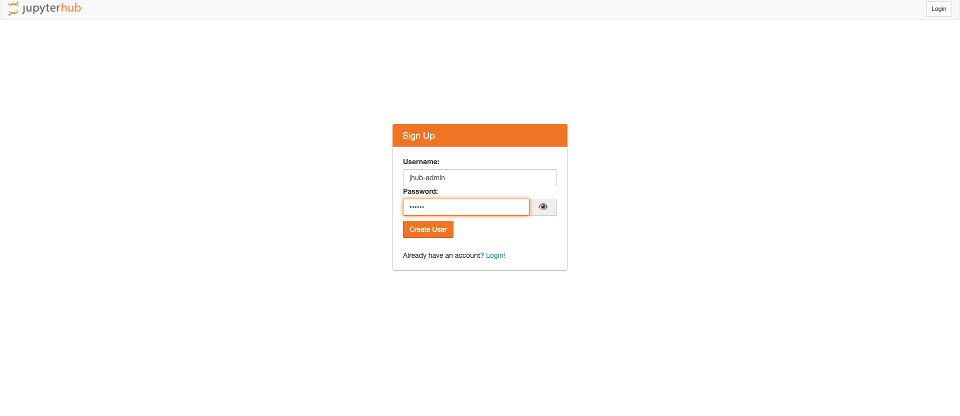
You can then create additional users (authorized at /hub/authorize) and change passwords at /hub/change-password. See Deploy JupyterHub Server on Amazon EC2 for the full walkthrough.
Support
Section titled “Support”Questions or need help getting started? Contact support@elmcomputing.io.