RShiny Server on Alibaba Cloud
RShiny Server on Alibaba Cloud is a pre-configured Alibaba Cloud image that lets you host and serve Shiny web applications in the cloud. Launch it from the Alibaba Cloud Marketplace, open it in your browser, and your Shiny apps are served straight away — no manual RShiny Server installation or configuration required.
It is built for R developers and data science teams who want a production-ready environment for publishing interactive Shiny dashboards and applications.
What’s included
Section titled “What’s included”- A pre-configured RShiny Server that hosts Shiny applications from the
/srv/shiny-serverdirectory - R and a broad set of pre-installed R packages for building Shiny apps
- Regular image updates with the latest R packages and security patches
See the latest release notes and full package list for the current versions and the complete set of installed R packages.
Launch on Alibaba Cloud
Section titled “Launch on Alibaba Cloud”- Find and subscribe to the RShiny Server image on the Alibaba Cloud Marketplace.
- Launch a ECS instance from the image in a region close to you, choosing an instance size that fits your workload.
- Make sure the ECS instance allows inbound HTTP (port 80) traffic so the server is reachable from your browser.
Access RShiny Server
Section titled “Access RShiny Server”Once the ECS instance is running, open its public IP address in your browser. For example, if the IP address is 10.11.12.13, go to http://10.11.12.13 to reach the Shiny Server welcome page:
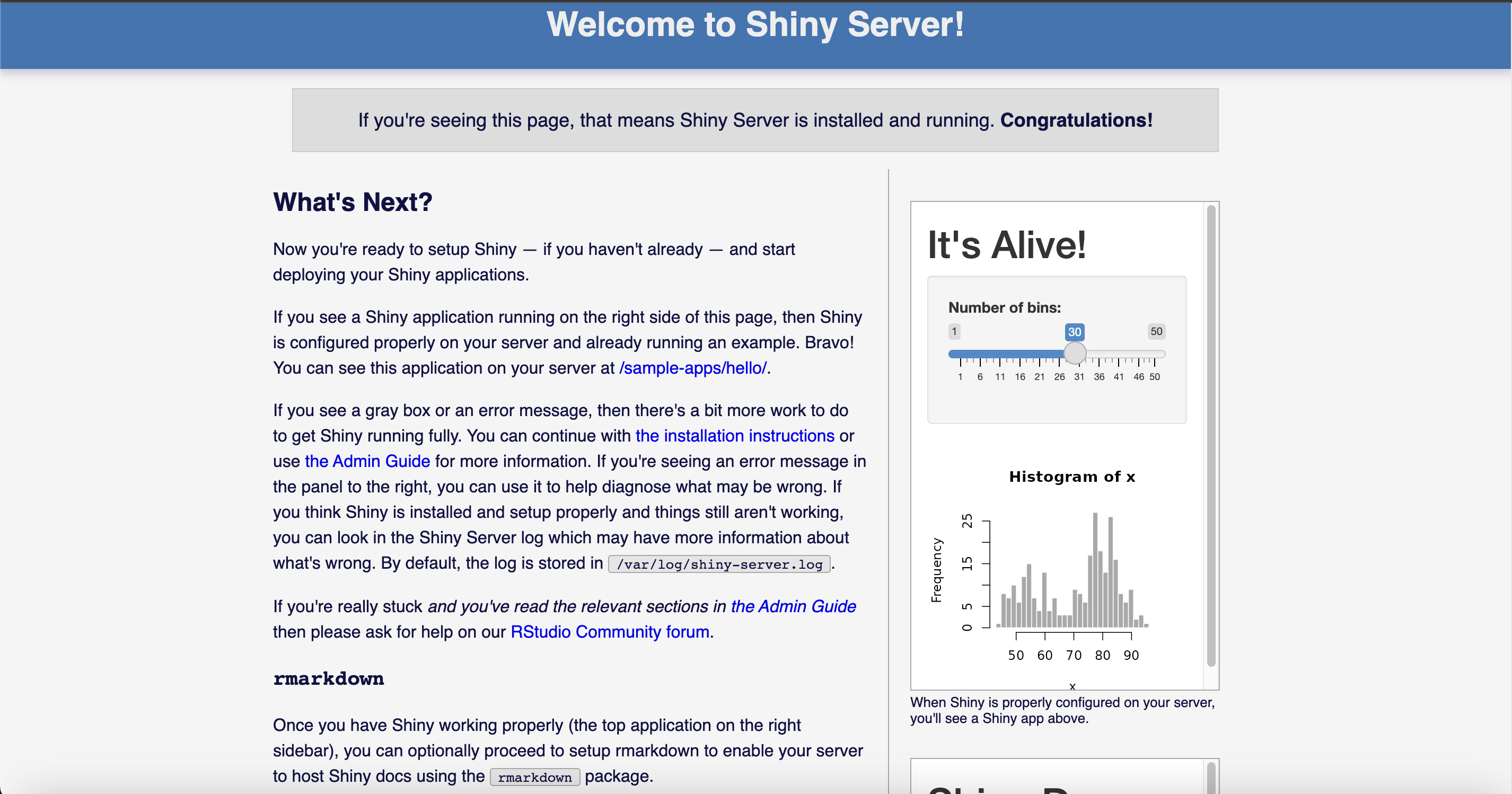
Your Shiny applications are served from the /srv/shiny-server directory on the server — add your application folders there to publish them.
Support
Section titled “Support”Questions or need help getting started? Contact support@elmcomputing.io.